Setting up a 16 bit DOS development environment in Arch Linux
This is a guide on one way of setting up a modern development system for 16 bit MS-DOS systems. It will support 32 bit protected mode too, but there's many other options for that.
My environment
I'm setting this environment up from a 64bit x86_64 Arch linux machine.
Open Watcom v2
Current available scripts for configuring a gcc toolchain to target 16 bit DOS wouldn't work for me. Some seemed to have dependencies on older versions of gcc on the host. I spent an evening failing to make any of them work.
Instead, I'm now using open watcom v2, an open source fork of the venerable watcom tools. OW2 supports a cross compiling to a range of targets, including 16 bit real-mode MSDOS.
Build process
This largely follows the open watcom official guide
Clone the OW2 repository
$ git clone https://github.com/open-watcom/open-watcom-v2
Copy and modify the supplied setenv script
$ cp open-watcom-v2/setenv.sh ./
$ vim setenv.sh
Modify the OWROOT variable to point to the root of the local copy of the open-watcom repository, i.e:
export OWROOT=/home/voxel/Src/Extern/open-watcom-v2
Despite having dosbox installed and on the default path, the open-watcom build wouldn't succeed unless I also set OWNOWGML=1 to disable using dosbox to build the documentation.
Additionally I set the following:
export OWGUINOBUILD=1
export OWDISTRBUILD=0
Next, run the build script, and have it populate a rel directory with the built assets.
$ build rel
This took about 20 minutes to run, and resulted in the subdirectory rel being created with the compiled watcom system.
To 'install' watcom, I copied rel to where I keep such toolchains.
$ sudo cp -r rel /opt/watcom
Finally, I created a setvars script to configure environment variables when I'm working with watcom.
$ vim /opt/watcom/setvars.sh

#!/bin/sh
export PATH=$PATH:/opt/watcom/binl:/opt/watcom/binl64
export WATCOM=/opt/watcom
export INCLUDE=/opt/watcom/h
Using watcom to build MSDOS compatible COM files
Create a test file hell_world.c
#include <stdio.h>

int main(){
  printf("HELL WORLD\n");
  return 0;
}
Then, ensuring the environment variable script has been activated, compile and link a com file in one step.
$ . /opt/watcom/setvars.sh
$ wcl -bcl=com hell_world.c
Open Watcom C/C++ x86 16-bit Compile and Link Utility
...
    wcc hell_world.c  -bt=com
Open Watcom C x86 16-bit Optimizing Compiler
...
hell_world.c: 7 lines, included 810, 0 warnings, 0 errors
Code size: 19
    wlink @__wcl_00.lnk
Open Watcom Linker Version 2.0 beta Jan 19 2026 16:01:50 (32-bit)
...
loading object files
searching libraries
creating a DOS .COM executable
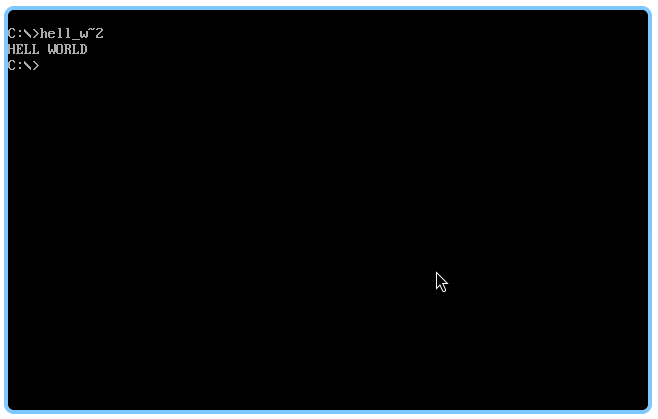
To test, the file can be ran in dosbox.